Claude Skills vs Cowork: What's the Difference?
Skills teach Claude how to do design work. Cowork runs Claude on more work at once. Here's when to reach for each, with five copy-paste skills designers actually use.
- Claude Code installed
You opened Claude Code, audited one token file, and it took 20 minutes. Now you have forty-seven component files, eleven tokens files, and a “design system audit” task on your sprint board. What do you actually do?
This is the moment where Skills and Cowork stop being buzzwords and become the two things that decide whether AI is useful to you or just impressive.
Skills make Claude consistently good at one thing. Cowork lets you do many things at the same time. You almost always need Skills first.
The 30-second version
- Skills = reusable instructions you trigger with
/skill-name. They encode how Claude does a specific task, the same way every time. - Cowork = multiple Claude Code sessions running in parallel. Different work, same wall clock.
Skills are about quality and consistency. Cowork is about throughput.
The situation most designers are in
You maintain a design system part-time. Twice a year you do a “health check” (naming, unused tokens, missing states, outdated components). It takes a week. You dread it. This is a Skills problem, not a Cowork problem. You need one really good audit skill, not five slow audits running at once.
What a Skill actually is
A Skill is a markdown file that tells Claude Code how to do one job well. You write it once, commit it to your project, and every teammate (and every future session) runs it the same way.
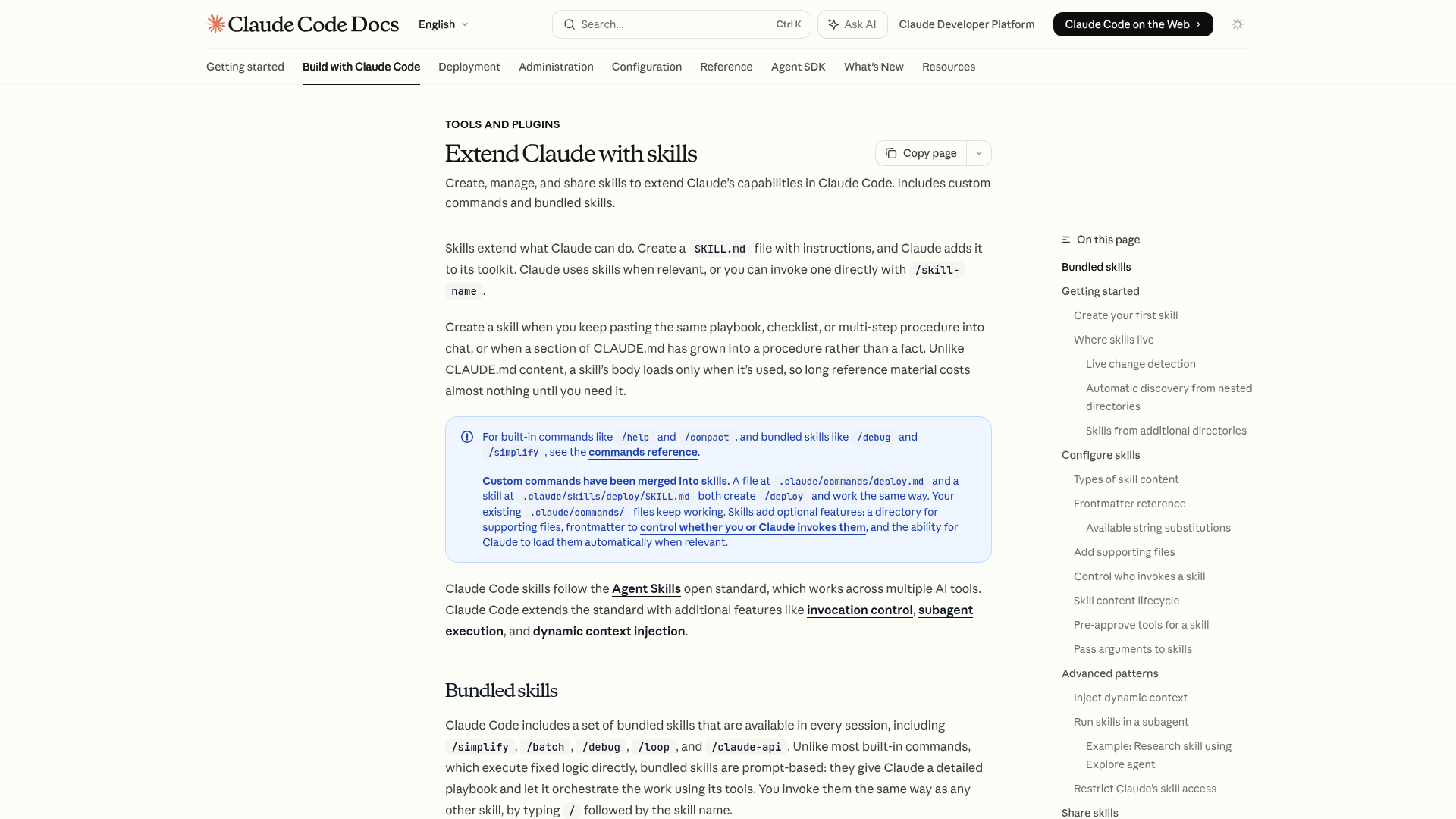
A minimal skill looks like this:
---
name: token-audit
description: Audit a design token file for naming, aliasing, and coverage issues.
  Use when reviewing a tokens/ file or before a design system release.
---

When auditing tokens:

1. Check naming against `category.property.variant` (e.g. `color.surface.primary`).
2. Flag any primitive tokens used directly in component styles.
3. Verify every semantic token aliases back to a primitive, not another semantic.
4. List missing tokens for common interactive states: hover, pressed, focus, disabled.
5. Output a prioritized fix list: critical, high, medium, low.
You save that to .claude/skills/token-audit/SKILL.md. The next time you open Claude Code in that project, /token-audit is available.
Where skills live
your-project/
├── .claude/
│   └── skills/
│       ├── token-audit/SKILL.md
│       ├── component-spec/SKILL.md
│       └── review-ui/SKILL.md
└── tokens/
    └── core.json
Two locations matter:
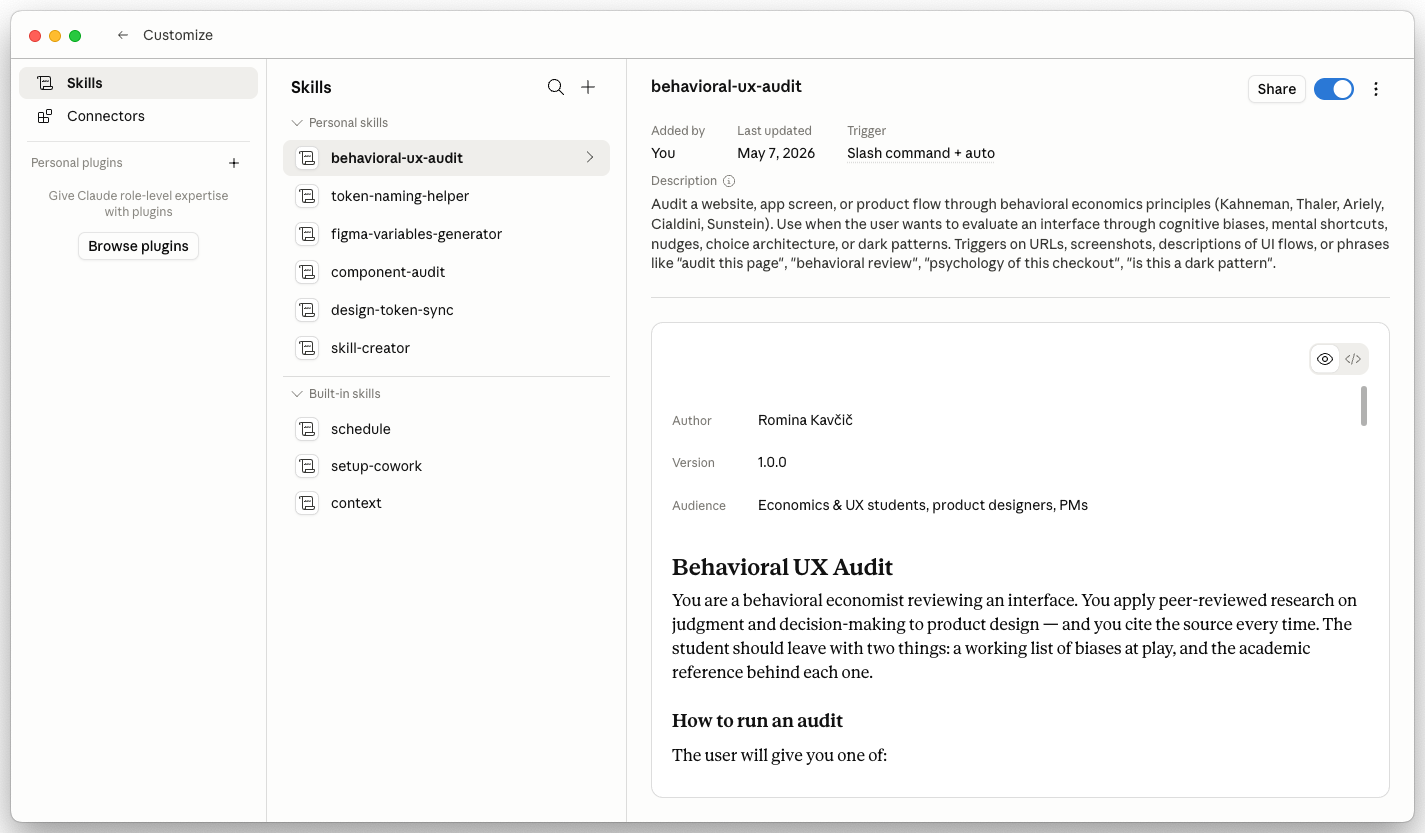
~/.claude/skills/, personal skills available across every project.claude/skills/in the repo, team skills committed to git, shared with everyone
The desktop app surfaces the same folder as a UI, so you can manage personal skills without touching the terminal.
Five skills every designer should have
If you copy one thing from this guide, copy this section. These are the skills that quietly change how much you get done in a week.
1. /token-audit, catch drift before release
---
name: token-audit
description: Audit a design token file for naming, aliasing, and coverage issues.
---

When I run /token-audit, you:

1. Read the token file(s) in tokens/ or wherever the user points.
2. Check naming convention: category.property.variant (flag violations).
3. Find primitive tokens used in component styles (should be semantic).
4. Verify every semantic token aliases a primitive, not another semantic.
5. List missing states: hover, pressed, focus, disabled, selected.
6. Output a markdown table: | Issue | Token | Severity | Fix |.
2. /component-spec, turn a screenshot into a real spec
---
name: component-spec
description: Write a production-ready component spec from a Figma screenshot or description.
---

Output in this exact structure:

## Purpose
One sentence. What problem does this solve?

## Anatomy
Labelled parts of the component.

## Props / variants
Name, type, default, description.

## States
Default, hover, pressed, focus, disabled, loading, error.

## Tokens used
Bullet list mapping each visual property to a token.

## Accessibility
Keyboard, screen reader, contrast.

## Do / Don't
Three of each.
3. /review-ui, the senior design crit you can run anytime
---
name: review-ui
description: Review a UI screenshot against the 10 most common visual mistakes.
---

Review the attached screenshot against these checks. For each one, say PASS,
WARN, or FAIL and give one sentence of evidence.

1. Visual hierarchy. Is the primary action obvious within 1 second?
2. Alignment. Are related elements sharing an edge or center?
3. Spacing. Is the spacing system consistent (4/8px grid)?
4. Contrast. WCAG AA for text, 3:1 for UI elements?
5. Typography. No more than 2 type families, 4 sizes?
6. Color. Is color used semantically, not decoratively?
7. Affordance. Do interactive elements look interactive?
8. Density. Is the screen over- or under-crowded?
9. Feedback. Is there a clear loading / empty / error state implied?
10. Consistency. Does this match the rest of the product?

End with the single most valuable fix.
4. /changelog-entry, release notes without the blank page
---
name: changelog-entry
description: Write a design system changelog entry from a git diff or PR description.
---

Output format:

### [type: added | changed | deprecated | removed | fixed], [component or token]

**What changed**. One sentence, user-facing language. No internal jargon.
**Why**. One sentence.
**Migration**. Code snippet or "no action needed".

Keep it under 80 words total.
5. /figma-describe, go from “I like it” to vocabulary
---
name: figma-describe
description: Describe a Figma screenshot in design-system vocabulary.
---

When given a screenshot, describe:

1. Layout. Grid, stack direction, alignment, spacing in px.
2. Color roles. Background, surface, foreground, border, accent.
3. Typography. Role and approximate size per text element.
4. Elevation. Shadows, borders, z-stacking.
5. Motion hints. Anything that looks animated or interactive.

Use neutral, token-ready vocabulary. No brand or marketing words.
End with three candidate component names for the main element.
These five skills cover ~80% of the repetitive thinking in a design system week. Copy them, adapt the language to your team, commit them to the repo.
What Cowork actually is
Cowork is the name for running multiple Claude Code sessions at the same time, each doing its own independent work. Different terminal windows. Different tasks. Same project.
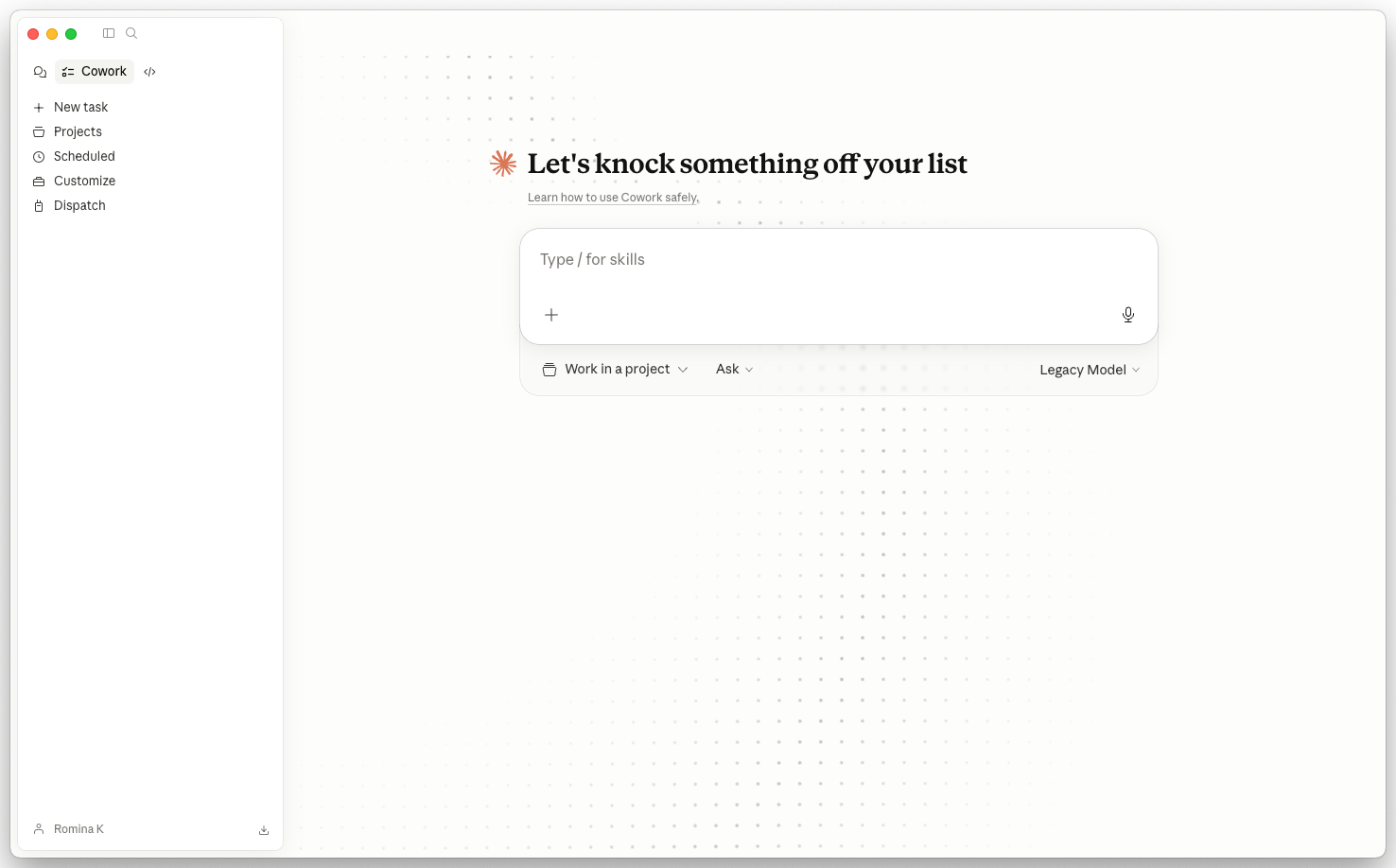
The simplest version of Cowork is manual. Open three terminal tabs, each in the same repo:
tab 1 → claude → /token-audit tokens/color.json
tab 2 → claude → /token-audit tokens/spacing.json
tab 3 → claude → /component-spec Button
Three tasks. All running. You go make coffee. When you come back, three results.
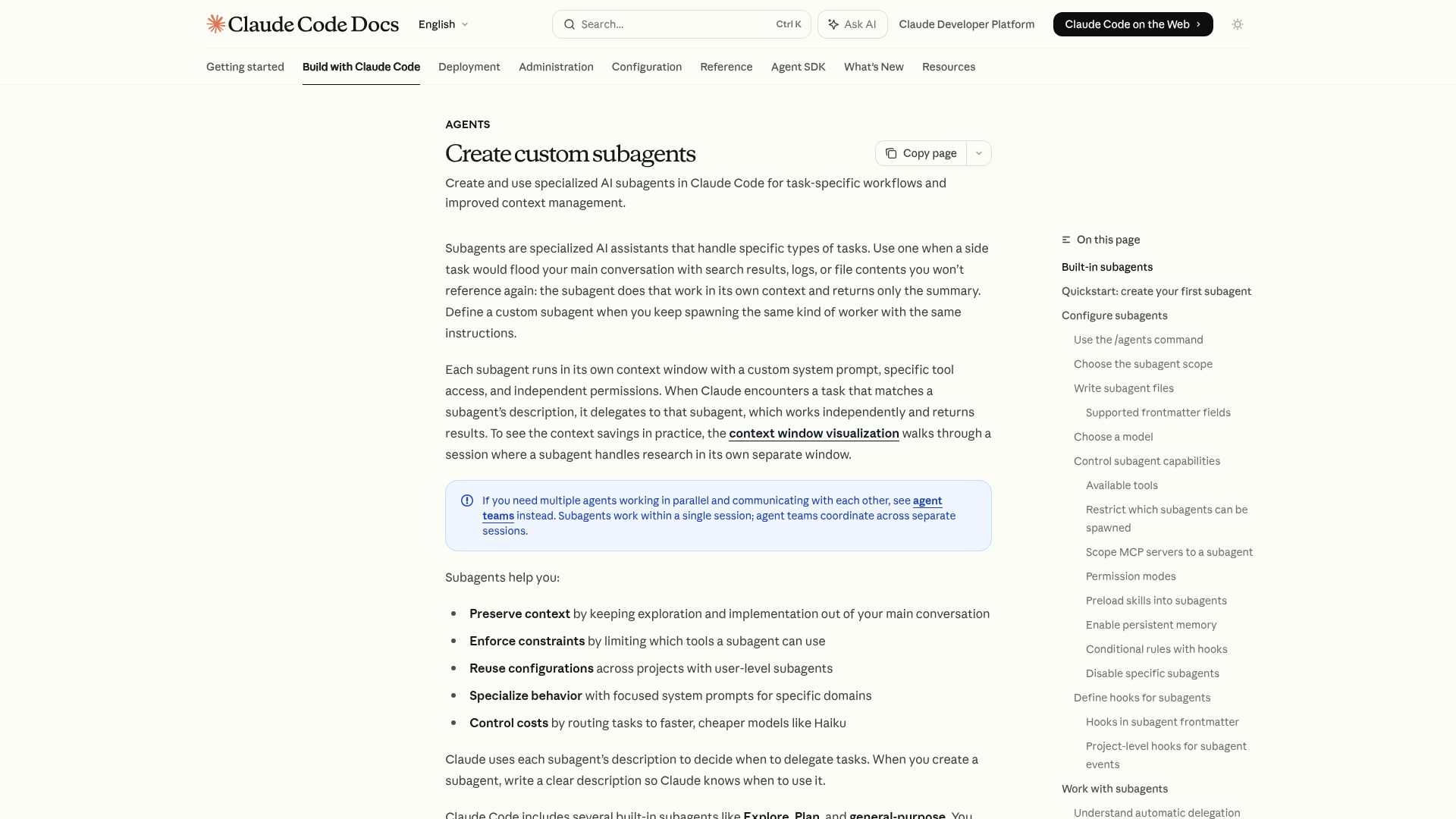
The more advanced version is subagents, Claude Code’s built-in way to spawn sub-sessions that handle a task in their own context window, without polluting your main conversation. Same idea, more automated, and Claude can now coordinate them for you.
When Cowork earns its keep
You are migrating from a legacy token file to DTCG format. You have color, spacing, typography, radius, and motion. Run /migrate-tokens in five tabs, one per category. What would have been a full afternoon becomes a 20-minute scan of five result files.
How to decide: Skills vs Cowork
Most designers ask the wrong version of this question. The real decision tree is:
Do you do this task more than twice a quarter?
- No → don’t build anything. Just prompt Claude directly.
- Yes → continue ↓
Does it need to be done the same way every time for the output to be useful?
- Yes → build a Skill first. That’s your minimum viable automation.
- No → keep prompting ad-hoc.
Now that you have a skill, are you running it against 3+ things at once?
- Yes → that’s where Cowork starts to pay off.
- No → one session is fine. You do not need parallel anything.
A lot of people jump to Cowork because it sounds like the productivity unlock. It’s not. A skill that takes 4 minutes and produces a consistent, reviewable artifact is worth 10x a fancy multi-session setup that produces inconsistent output.
Using them together
The real leverage is the combination. Write the skill once, then parallelize it.
Session 1: /token-audit tokens/color.json     ← skill
Session 2: /token-audit tokens/spacing.json   ← same skill, new target
Session 3: /component-spec Button             ← different skill
Session 4: /review-ui dashboard.png           ← different skill
Four outputs. One wall-clock half hour. All outputs follow the format you decided, so reviewing them is mechanical.
| Criterion | Skills Reusable playbook | Cowork Parallel execution |
|---|---|---|
| What it is | Markdown playbook file | Multiple sessions in parallel |
| Solves | Inconsistent output | Serial bottlenecks |
| Setup cost | 10 min to author | 0, just open more tabs |
| Pays off when | You do the task 2+ times a quarter | You have 3+ similar runs |
| Lives in | .claude/skills/<name>/SKILL.md | Terminal or subagents |
| Biggest mistake | Making them too generic | Running before the skill is stable |
| Start with | /token-audit or /review-ui | Three parallel runs of a trusted skill |
What about CLAUDE.md?
There’s a third thing people confuse with skills, and it deserves its own line.
CLAUDE.md is always-on project context Claude reads automatically every session. It is not triggered. It is ambient.
- CLAUDE.md = “Here’s what this project is.” Always active.
- Skill = “Here’s how to do this specific task.” Triggered with
/skill-name. - Cowork = “Run these tasks at the same time.” Execution mode.
A good mental model:
Use CLAUDE.md for the things that are true about your codebase (stack, conventions, do-nots). Use Skills for the things that are true about a specific job. Use Cowork when you’re finally doing enough of those jobs that running them one at a time feels silly.
Start here, in order
Skills first. Cowork only when you have a real bottleneck. The exercise below walks the first half of the arc: build one real skill, then deliberately run it three times in parallel so you can feel where Cowork would change things.
Ship one skill, then run it three times in parallel
-
Commit a `/token-audit` skill to your repo
In a project you actually maintain, run
mkdir -p .claude/skills/token-audit && touch .claude/skills/token-audit/SKILL.md. Paste the/token-auditskill from section above. Edit three lines so the naming convention matches your real token file. Commit the file on a branch..claude/skills/token-audit/SKILL.mdexists and is committed to a branch- Running
/token-auditin Claude Code triggers the skill instead of a generic response - The output format matches what you would hand a teammate in a review
-
Run the skill in three terminals at once
Open three terminal windows, each
cd-ed into the same repo. Runclaudein each. In tab 1, run/token-audit tokens/color.json. In tab 2,/token-audit tokens/spacing.json. In tab 3,/token-audit tokens/typography.json. Make coffee. Come back to three reports.- All three reports follow the same format, because the skill enforced consistency
- The total wall-clock time was shorter than running the same three audits one after another
- You can name whether the bottleneck on your next real task is consistency (needs a Skill) or throughput (needs Cowork)
Finished this lesson?
Mark it complete to track your progress through "Claude Code".
The guides alone saved me a full day of work every sprint.
- All guides, prompts, and templates
- Starter kits and templates
- New content every week
- Priority support